Templates
Visual templates on Rising Tide Protocol - design the visual layer for pages and tickets, earn a royalty on every collect.
A template is the visual design that creators apply to their pages, tickets, and other work. When a reader collects a piece that uses your template, you earn a royalty - automatically, with no action required.
What you design
Templates are SVG-based and support multiple canvas formats:
- Landscape - wide format, suited for event tickets and horizontal layouts
- Portrait - tall format, natural for reading
You do not need to design both. Publish the canvases that fit your aesthetic. Creators pick templates that have the canvas they need.
A canvas is a slot with an orientation, not a fixed size. Your file declares its own width and height, and the protocol reads them from it - so a portrait slot takes whatever portrait proportions you drew, rather than a size we chose for you.
One thing that is worth knowing before you draw a page for body copy: a wide column is hard to read at any type size, because shrinking the glyph fits more characters on the line, not fewer. Comfortable reading sits around 45 to 75 characters per line. When you upload, the studio tells you what your template will actually be set at and where it lands against that - it never refuses on it, but it is the number to design toward.
Each template can have a distinct visual identity. These are rendered examples from different templates on the same haiku:
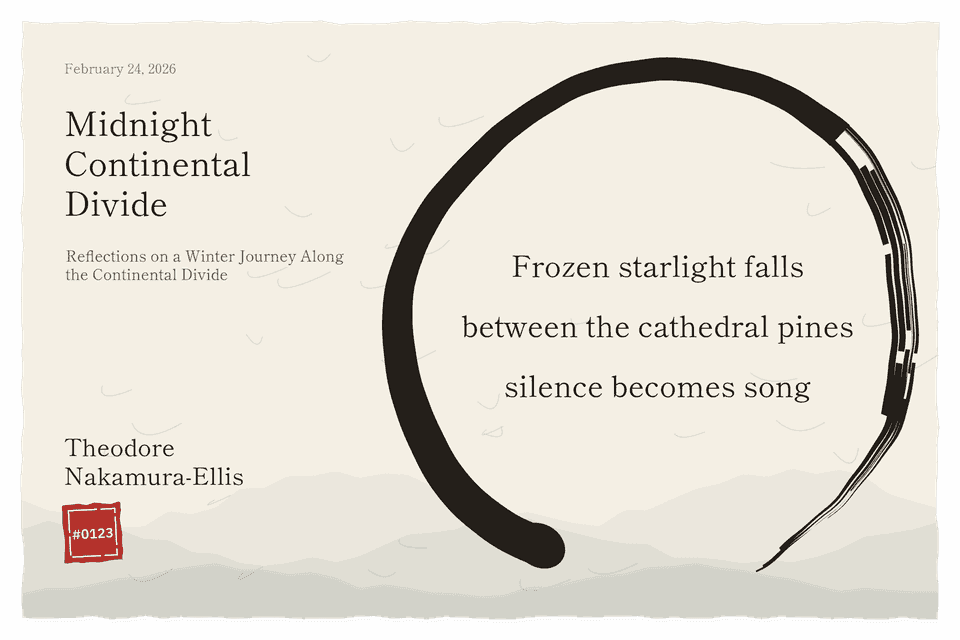
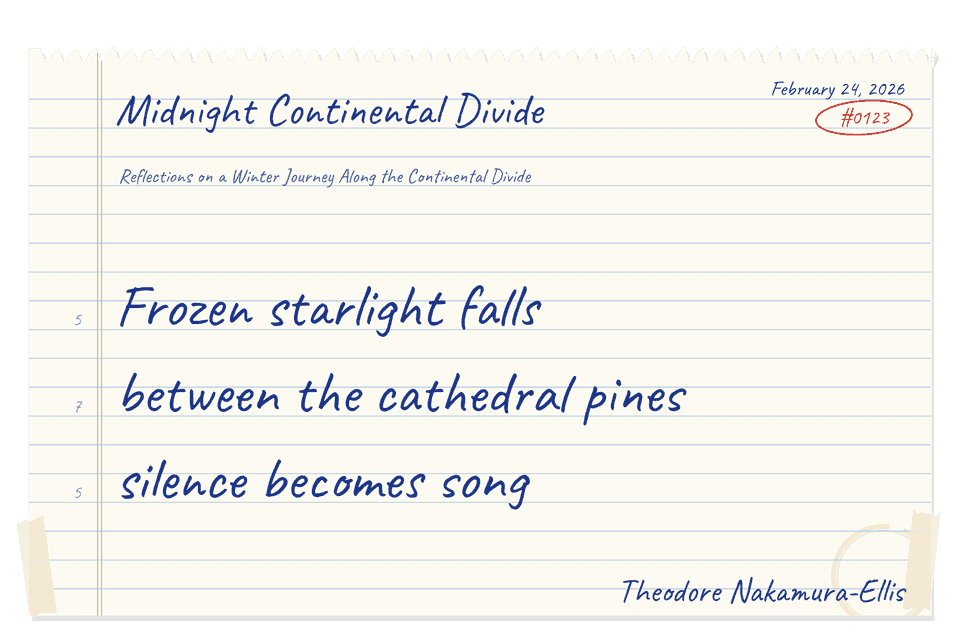
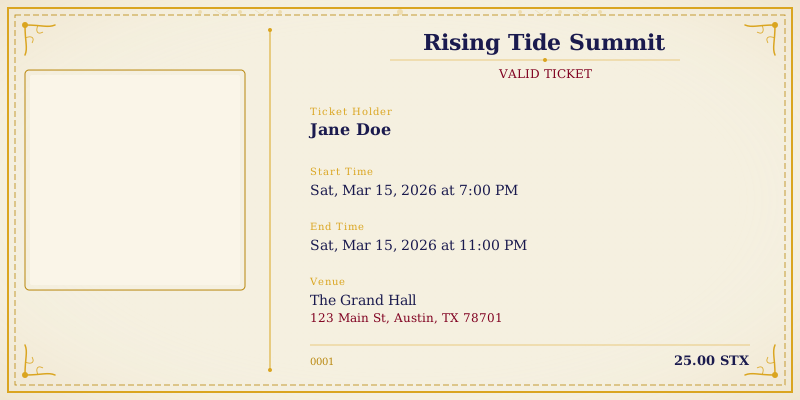
And event tickets use the same system:
Data bindings
Templates display creator-provided content through data bindings - placeholders your design reserves for the creator's words. Common bindings:
- Edition number (each collector gets a unique serial number)
- Creator's name or address
- The content itself (poem lines, event details, etc.)
The protocol handles binding the creator's actual content into your design at render time. You design the frame - the words come from the creator.
Royalties
You set your royalty percentage when you publish a template. The default is 20%. This percentage is applied automatically to every piece that uses your template, deducted before the creator receives their share.
Some product types allow per-format overrides - for example, event ticket templates can have a different rate than page templates. The protocol team sets these rules when new product types are added.
Updates without republishing
SVG content can be updated after a template is published. Fixes and visual refinements take effect immediately across all pieces using your template. Revenue composition is set at the time a creator publishes their piece and does not change retroactively.
Getting started
You author and submit templates in the Asset Studio - draft your design, submit it for review, and it goes live once approved.
Template publishing requires an Artist or Admin account. Reach out to the Rising Tide team to get access and bring your first template to the protocol.
Before you draw, look at What Good Looks Like: the published sets are the level to beat.
You do not need access to start drawing. Drawing a Template is the workshop - the markers, the canvas rules, the traps, and a starter file you can download and change today.